A combo package is a bundle made up of two or more existing packages that you have already created in the system, combined into one offer—often with a discount.
To create a combo package, go to Company Settings → Packages → Add Combo.
Add a name for the combo (for example, Pilates + Yoga Combo Package), include a description, select the packages you want to combine, apply a discount to each package if needed, then save.
Combo packages do not appear on the app. They can only be added by staff from the portal/system.
In reports, the combo package appears as one combo with one invoice and one receipt.
In the client profile, the combo is split and displayed as separate individual packages, allowing the client to use each package independently.
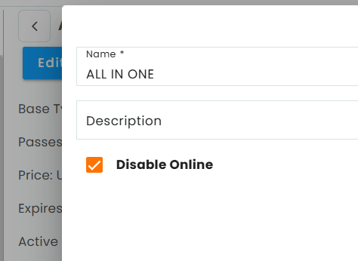
Combo packages can also be hidden from online booking if you do not want clients to purchase them through the app or website.
To disable a combo package online:
- Go to Packages.
- Select the package and click Edit.
- Enable Disable Online.
- Click Save.