
It is divided into two parts:
1️⃣ Packages – Create, edit, and manage various types of packages.
2️⃣ Package Freeze – Set up and manage package freezing options.
✅ Managing Packages
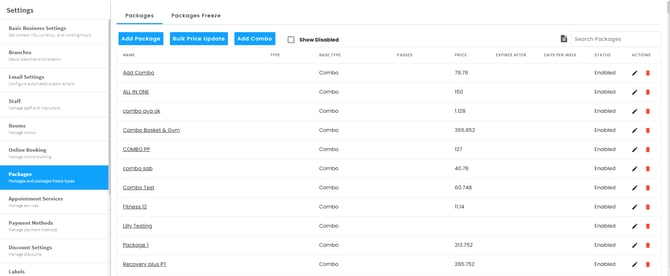
Go to Company Settings > Click on Packages from the left side menu
You can:
✅ Add new packages
✅ Bulk update prices
✅ Create combo packages
✅ Edit, disable, or delete packages
✅ Creating a New Package
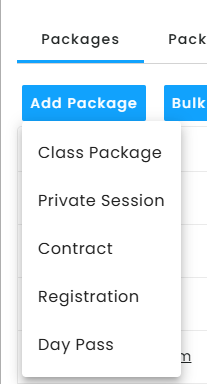
When adding a new package, you’ll choose from the following types:
- Class Package – For group classes
- Private Session – For one-on-one training
- Contract – For long-term memberships
- Registration – For one-time registration fees
- Day Pass – For short-term access
🔹 Step-by-Step Package Setup:
1️⃣ Enter package details
- Name, price, and number of passes included.
2️⃣ Select the base type:
- Unlimited – Clients can attend unlimited sessions. (This is usually applied in Gyms)
- Passes – A fixed number of sessions. (This is usually applied in studios)
- Preselected Unlimited – Clients choose specific schedules. (This is usually applied in academies)
3️⃣ Choose the package start date:
- Purchase Date – Starts when the package is bought.
- Beginning of Cycle – Starts with your billing cycle.
- First Session – Begins when the first session is attended.
4️⃣ Set the expiration period:
- Choose how long the package remains active:
- Days, Weeks, Bi-Weeks, Months, or Terms ( terms are usually used if you use a special calendar)
- Days, Weeks, Bi-Weeks, Months, or Terms ( terms are usually used if you use a special calendar)
5️⃣ Optional settings:
- Client Categories – Limit access to specific groups (e.g., VIP, Regular). Requires allocation from the client profile.
- Client Gender – Restrict package by gender if needed.
6️⃣ Additional options:
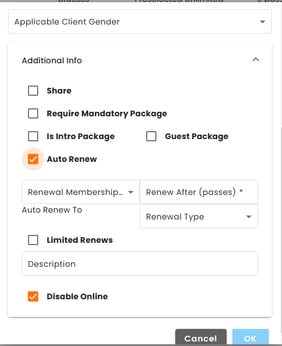
✅ Shareable Package – Allow multiple people to use the same package.(Only doable from portal)
✅ Mandatory Package – Require clients to buy another package first.
✅ Intro Package – Show only to first-time buyers.
✅ Guest Package – Available for guests only.
✅ Auto-Renew – Automatically renews when expired or when all passes are used.
Renewals Types:
-
Invoiced
-
Incomplete
- Pending
- Self (same package)
- Auto renew after x number of passes
- Expiry date
1. Invoiced
- Package is renewed > invoice is issued > Outstanding balance shows on the client's profile
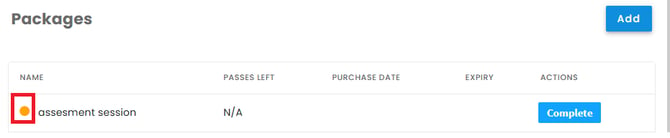
2. Incomplete
-
Package is renewed > Save as incomplete > it shows in yellow
3. Pending
-
Set the Trigger — When creating the package, choose the attendance count that should trigger early renewal (e.g., renew after 4 out of 8 passes used).
-
Threshold Reached — Once the client hits that attendance number, the system creates a backend package with a proforma invoice, dated from the beginning.
-
Sessions Owed Appear — The owed sessions are visible on the client's profile.
-
A Visible Package Created — The system automatically generates the new package on the front end, marked as un-invoiced. You can go through them all from the incomplete membership report
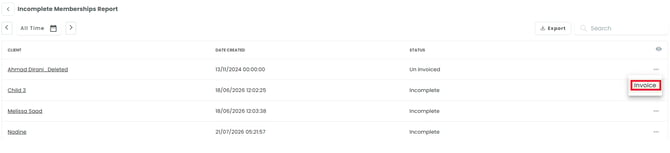
or from the clients profile under packages (shows in red)
-
Invoice & Reconcile — Press on Invoice to generate the invoice, then the sessions owed are reconciled
✅ Disable Online – You can hide any package from the client app (still accessible through the portal).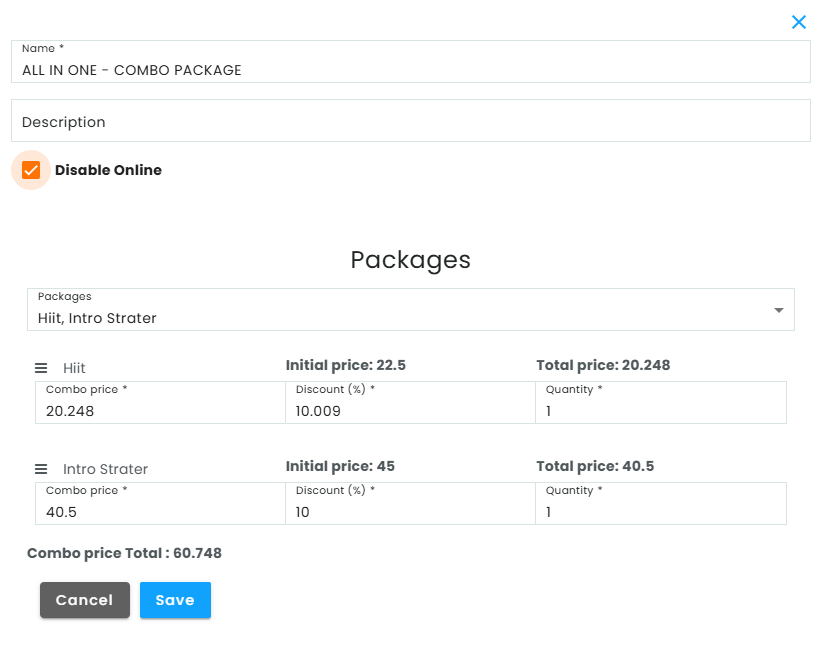
7️⃣ Save Changes
- Click OK to finalize the package.
⚠️ Note: Changes made to a package apply only to future purchases.
Unassigned Packages
What it does: Flags packages that aren't assigned to any event, service, or activity, since these stay hidden from customers.
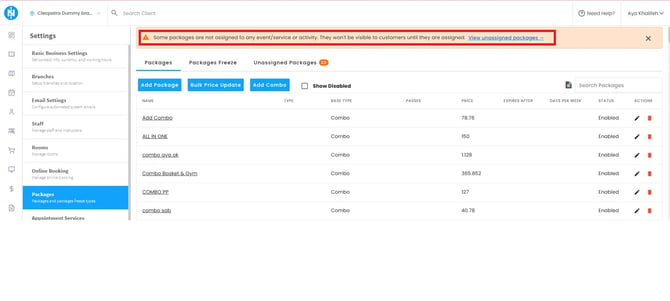
How it works:
- A warning banner appears on the Packages page if any packages are unassigned, with a "View unassigned packages" link to redirect you to the Unassigned Packages tab.
- A dedicated Unassigned Packages tab lists all affected packages with a count badge.
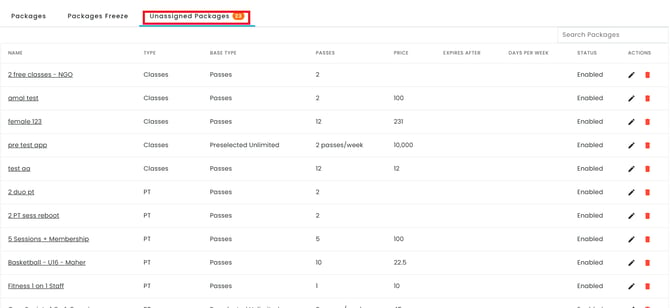
Why it matters: Unassigned packages aren't visible for purchase — this makes it easy to spot and fix them so customers can buy them.
✅ Package Freeze
The Package Freeze feature allows clients to temporarily pause their memberships.
🔹 Setting Up a Package Freeze:
✅ Add a freeze option with the following details:
- Name – Give the freeze a clear title
- Price – Set the cost (if applicable)
- Duration – Define how long the freeze lasts
- Status – Enable or disable the freeze option
🗑 You can also delete freeze options if needed.
Note that you can't delete in-use packages. This prevents them from being removed while their active links still exist — instead, you can disable them, and full membership history remains available on the Package Details page.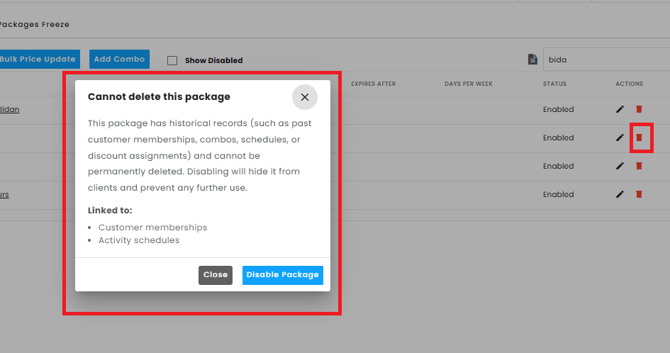
Prefer watching? This YouTube video below explains everything in detail!