-
Go to the portal as you normally would.
-
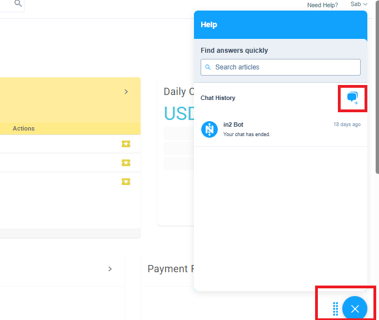
Click on “Need Help” from the menu.
-
A blue chat icon will appear in the bottom-right corner of your screen.
-
Click on the chat icon, then click the plus (+) icon next to it.
-
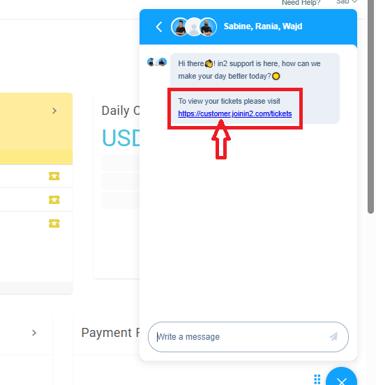
A message will appear saying:
"To view your tickets please visit https://customer.joinin2.com/tickets"
-
Click on the link provided.
-
You’ll be redirected to a page where you can view all your support tickets, including Ticket ID, Subject, Created Date, Last Activity, Status.
This makes it easy to track your past and ongoing support requests in one place.