
1- Go to company settings > pos settings > click on colors / sizes > Add new colors and sizes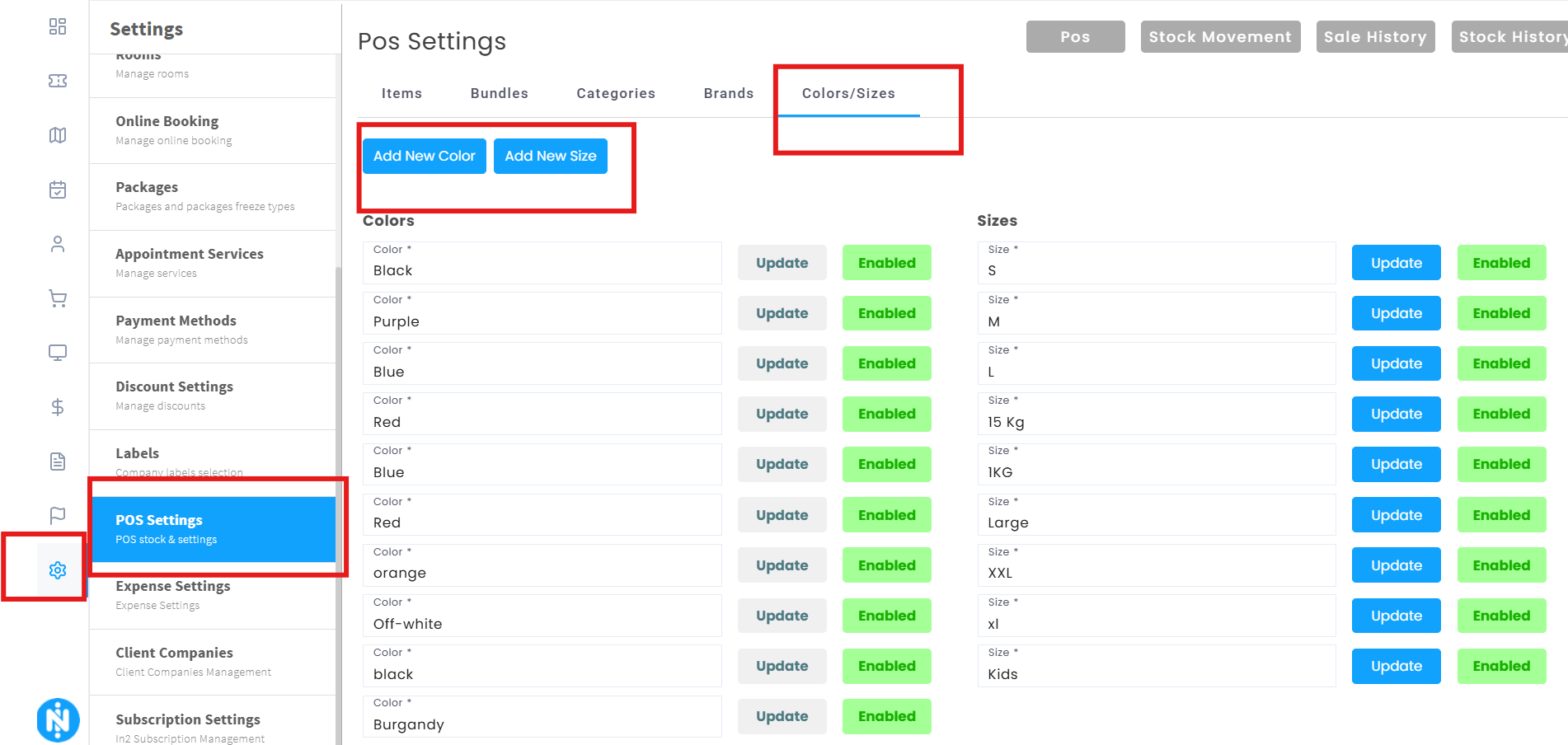
2- Go back to items > Add new item > Enable size and color and fill all info > click Add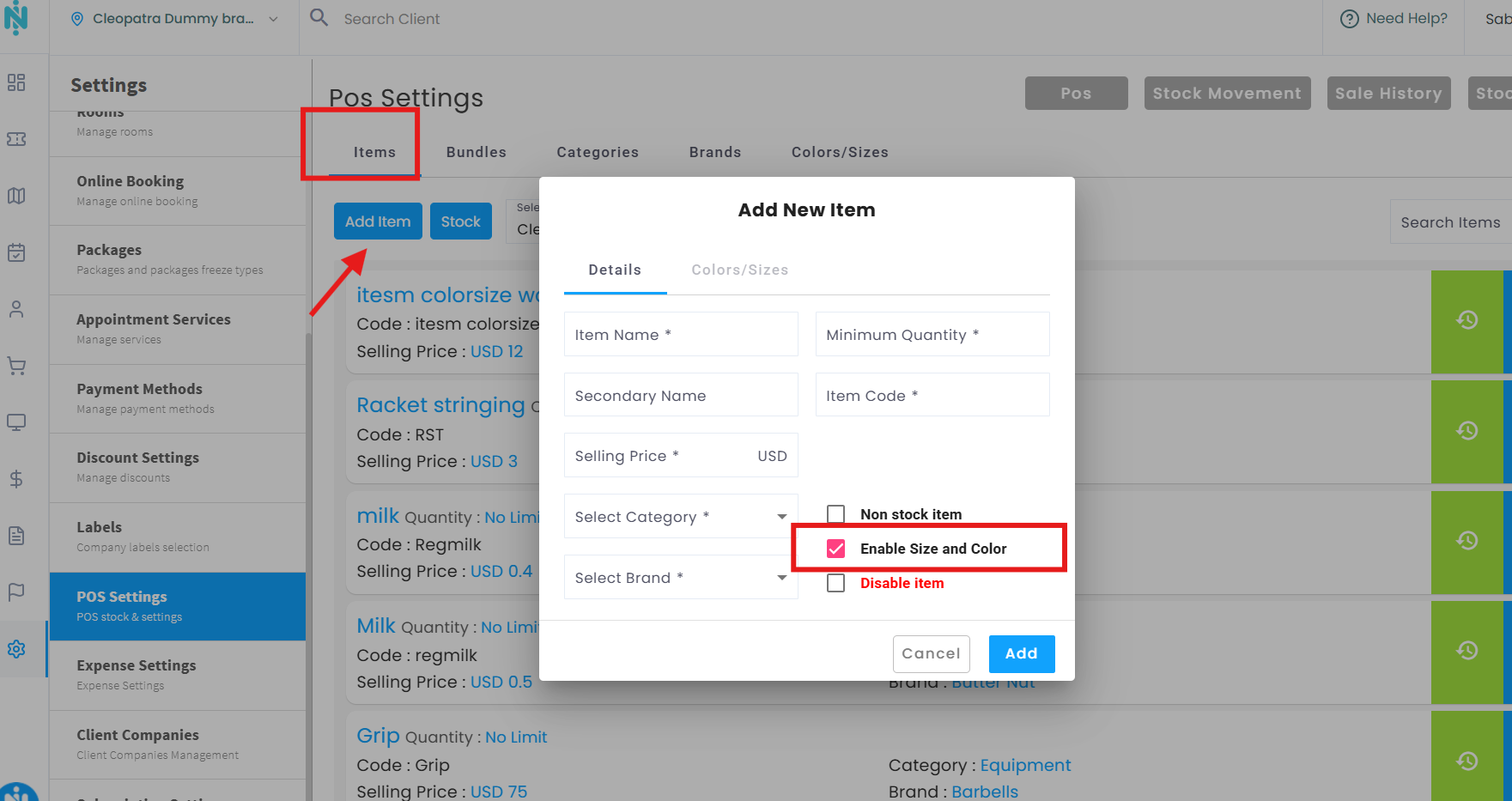
3- Click on Colors / Sizes > Add new detail > Add all info > click on Save >you can Enable or Disable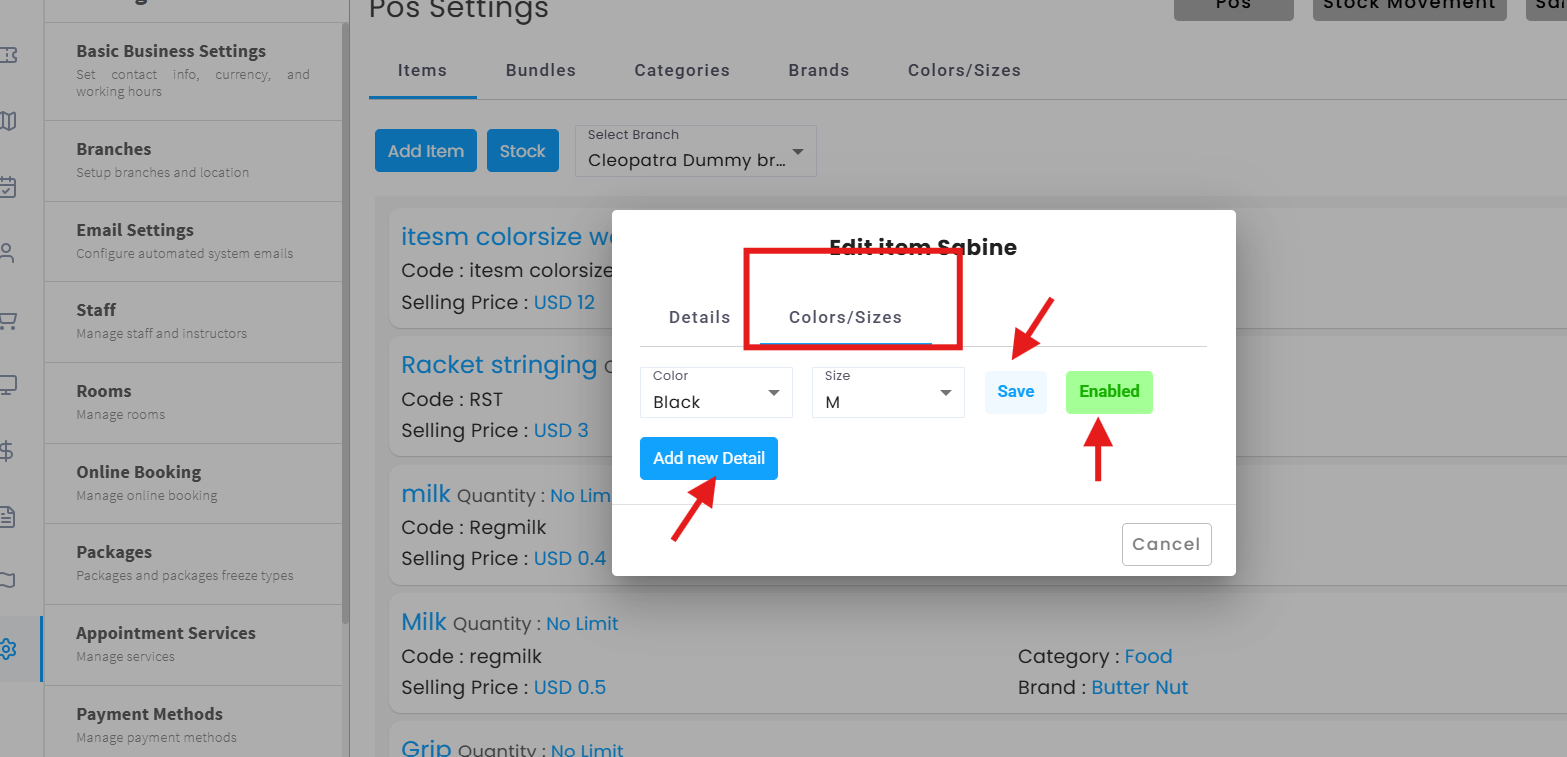
Note: In case you already added an item but you didn't enable sizes and colors, you can't edit and add them again, you need to create a new item.