
✅ 1. Company Info
-
Enter your company name, phone number, and email.
-
Select your business currency (⚠️ Note: Once set, it cannot be changed).
-
Set your business location, seamlessly integrated with Google Maps.
-
Add your registered company name, company registration number, and an optional second registration number (if available).
-
Configure your billing email(s) to ensure you receive financial notifications.

✅ 2. Company Tax
-
Choose whether your retail prices include tax (TTC - Toutes Taxes Comprises) by enabling or disabling this setting.
-
Define your tax:
-
Name
-
Rate
-
- Within the window → Return is processed before the tax expiry period ends → Tax is refunded along with the purchase amount.
- After the window → Return is processed after the tax expiry period ends → Tax is excluded from the refund, since it has already been remitted to the government.
Expiry date
A tax expiry window (e.g., 3 months) determines whether tax is included in a refund:
-
Tax will be reflected in the invoice details

✅ 3. Cancellation Policy
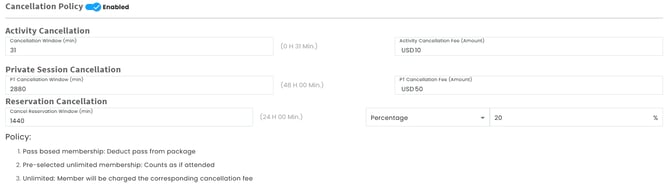
Define cancellation windows and fees for activities and private sessions and reservations.
Example: If a client cancels one hour before class and your policy charges $10, the system will enforce this rule.
Cancellation policies by membership type:
-
Pass-Based Membership: A pass is deducted from the client’s package.
-
Pre-Selected Unlimited Membership: The cancellation is counted as an attended session.
-
Unlimited Membership: The client is charged the applicable cancellation fee. Same applies for single sessions
✅ 4.Multilingual Printouts
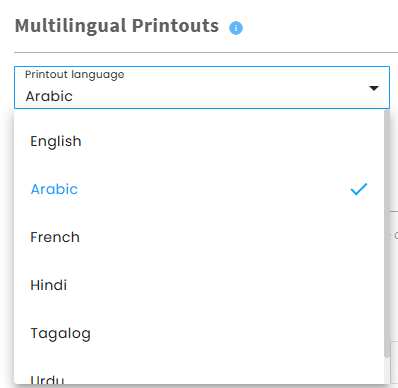
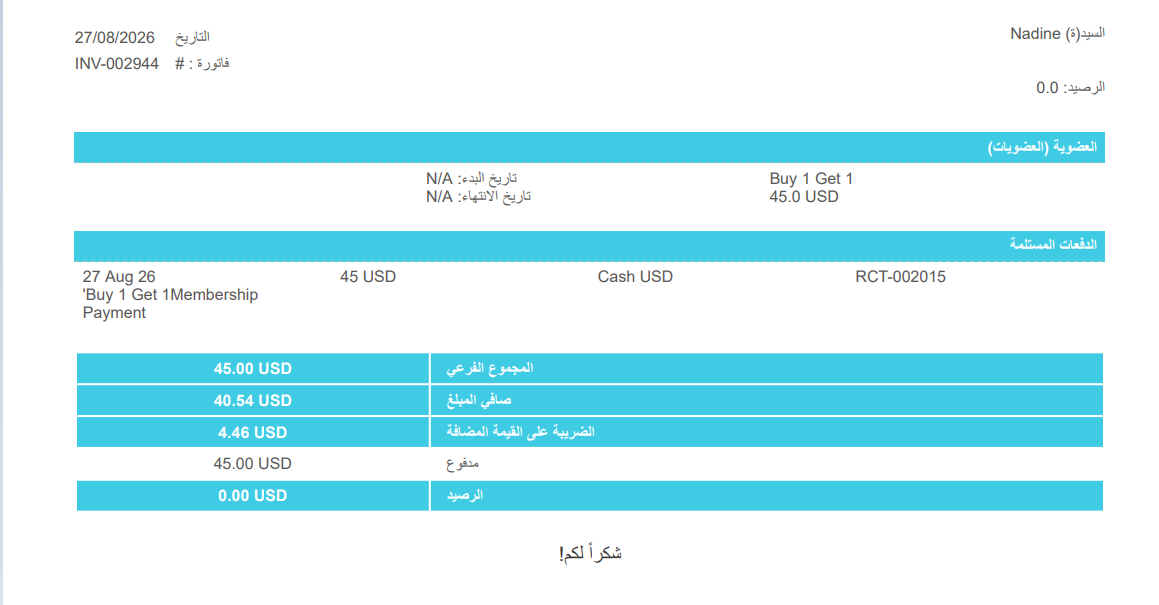
- Select the language used when displaying or printing documents
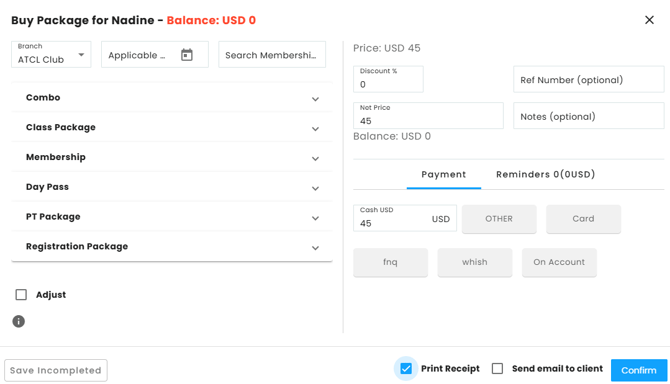
Press on print receipt when Buying a package
✅ 5.Availability Hours
-
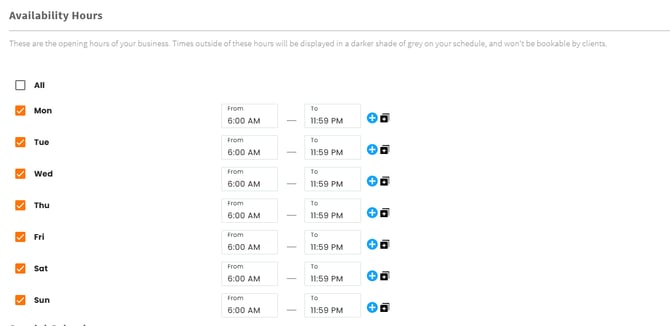
Set your business operating hours to control when clients can book sessions.
-
Outside hours appear in a darker grey and are not bookable.
-
Define different opening and closing times for each day.
-
Optionally, add multiple time slots per day (e.g., morning and evening shifts).
✅ 6. Special Calendar
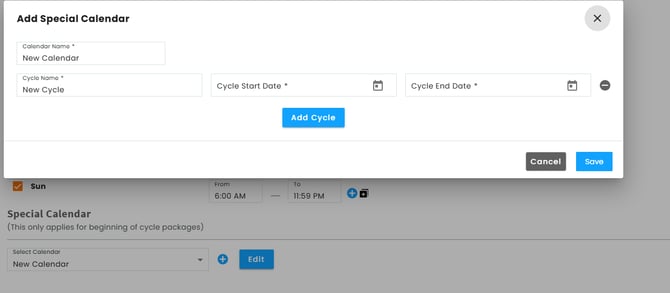
This section is for businesses with cycle-based schedules (e.g., seasonal terms or special programs).
-
Applies only to beginning-of-cycle packages.
-
Example: If you run a summer term with multiple cycles, you can structure the schedule accordingly.
✔️Prefer watching? This YouTube video explains everything in detail